upforward
All Entries »
Hello, everyone! :)
Okay, this is the 52nd entry of our weekly recap of Proto Blast development. Yep, 52 weeks have already passed. A year, bruh! O_o And it hasn't been finished yet XD
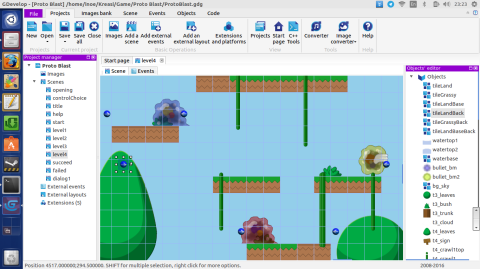
Well, at least the progress is kinda good this week. Continuing the design on the fourth level, it is almost time for the boss area!

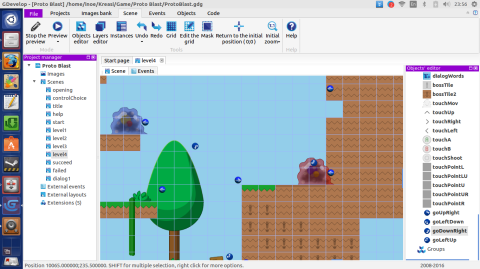
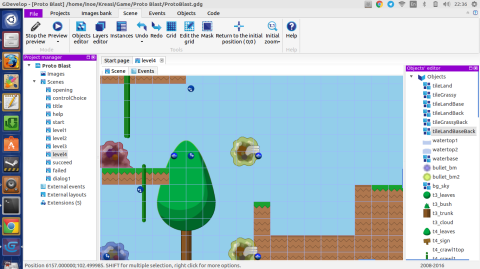
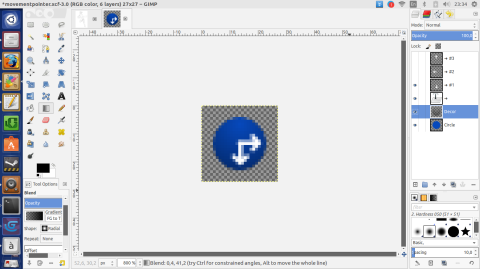
Again, considering how the new enemy in this level will move, I needed to add one more movement pointer. With the smaller amoebas ready in their place, it leaves level background and the boss area for the design of this level.

I also revisited some of the other WIPs, [...]
Hi, everyone! :)
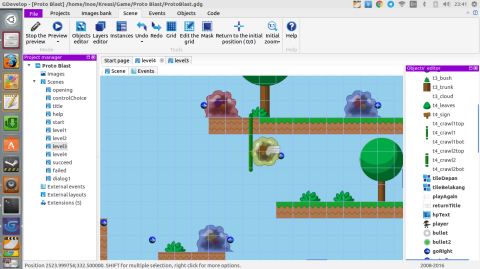
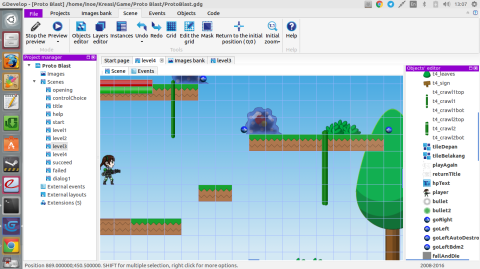
Well, I don't think I've got much to say regarding the progress of the project development this week. Basically, I just continued the design of the fourth level. In the screenshot below, you can see how the new movement pointers as mentioned in previous week's recap is placed on the game scene to control the movement of the enemy.

There's also a good news on GDevelop's side. A new version of GDevelop, 4.0.92.0, is available. And, this time, it finally is available in a Personal Package Archive (PPA) Xenial, so there's no need to compile and install it manually from source like the last time.
Hello, everybody! Welcome to the 50th weekly recap of Proto Blast development :)
Whoa, 50 already? O_o Yes, it is twice of 25 and a half of 100. I know, 50 is plenty, but, well, let's just continue with the recap XD
This week, I continued the design of the fourth level. With a new enemy deployed in this level, I need to add more mechanism. So, besides the need to create the mechanism in GDevelop commands, I also needed to make new movement pointers as well.

Those pointers are used to control the behavior of the said new enemy. Of course, just like the other pointers that are already being used throughout the previous three levels, the control is done by placing them in the level's scene, albeit being invisible to player.
Hello, everyone! :)
Whew, this week was a busy one. But.. err.. not regarding the project. Yes, sadly, just like the previous one, this is going to be another quick recap.
As mentioned on the previous entry, I'm moving to a new office in North Sumatera. I still needed to prepare for that this week, and more importantly, depart to the location. Yep, I'm writing this entry in an entirely new location :)

Aside from that, I was also working on an artwork. Something that has been a work-in-progress for quite some time. Heck, I started it back in September 2015 XD
Hello everybody! :)
This week is kinda busy. There is the issue with my Ubuntu Phone, and also, I need to pack things up for two reasons. First, Eid holiday is coming :) Of course, it is the mudik season, so I need to prepare to come to my hometown. Second, right after the holiday ends, I'll start working on a new office, in North Sumatera. Yep, I'd need to prepare for that too, of course. It's in another island, bruh O_o
So, well, this is going to be another quick recap.

I continued [...]
Okay, that was sad :(
My Ubuntu Touch device, a Nexus 4, suddenly behave strangely. It suddenly restarted, and continuously rebooting. Practically becomes unusable. It seems to become worse as it can't even boot for long, only reaching the Google logo before turning off again (and not restarting). I booted into recovery mode, wiped the cache partition, but it didn't solve the problem. I then planned for a factory reset, but first, I need to recover my data first. I found an instruction on TechGlen, but sadly it doesn't clearly tell us how to get the location of the user data that needs to be mounted so that we can backup the contents. After some more googling, I got the clue from Stack Exchange. So, here's how to do it, as a note for myself, or in case someone needs it.
Hello, everyone! :)
More fixes landed on the development this week. Regarding the issue mentioned on recap #43, it turned out that the problem is really simple XD I separated the watery area into three parts, a tile of the main one and two sprites of different stages of the top. However, in the game commands, only the main area has been included. So, the issue has been solved simply by adding the other two parts into the commands.
Well, should this kind of issue appears next time, it is a good idea to make sure the correct sprite name is included in the code/command. Checking the sprite properties and comparing it to the command should make it obvious :)
Hi, everybody! :)
Proto Blast development continues. But, err, I have to admit that not much is done this week.
Regarding the mechanism problem as mentioned in the previous entry, I tuned it by decreasing the attack rate of the level's boss. I also did the same to the smaller amoebas with similar attack to give a better balance of the level. I did some play-tests, and I think it is more acceptable now :)

I also found another bug on the player's special attack. It had no explosion effect when colliding with an enemy. It turned out that I named the explosion point wrongly as if it was a regular bullet. And, so, I fixed it.
Hello, everyone! Welcome to the 45th weekly recap of Proto Blast development! :)
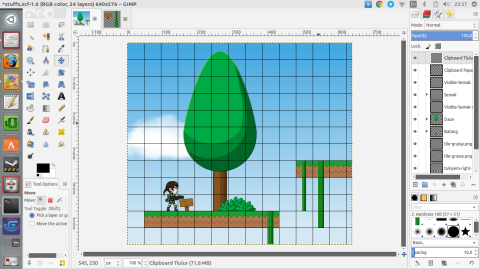
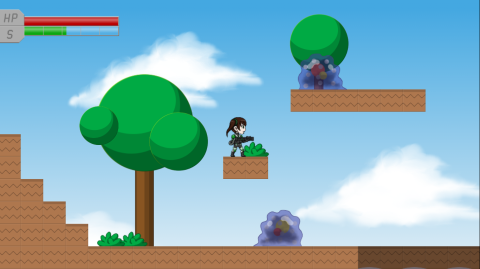
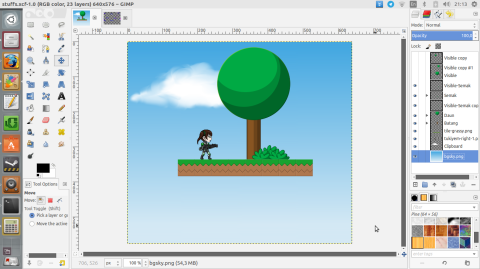
As you may expect if you read the previous entry, I continued the work on level 3's background. There is a change, though. Previously, I decided to make the tree trunk as tiled sprite, while the leaves and bushes as sprites, since the tree trunk is to be adjustable in wide and length. However, when I was applying them on the level design, it turned out that a sprite is better for it, especially if we are downsizing the object.

As you can see in the image above, a downsized tiled sprite (left) of tree trunk is showing only a portion of the tile. On the other hand, a downsized sprite show the full sprite, in a smaller size, and that was what I actually expected, hence the change.
Hi, everyone! :)
Continuing the works from the previous week, I did more tests and fixes on the third level. One of them is placing more enemy controllers on spots that are likely for jumping amoebas to get stuck ^_^; It still needs more investigations later, but at least for now it reduces the chance for them to get stuck. I also did a fix on the special attack mechanism. There is an issue that I didn't realize sooner. The spread bullets are not destroyed when they hit an enemy. It doesn't seem to be much problem on the previous two levels, but due to the design of the third level's boss area, this issue became apparent, so I worked on the fix.